 Pepe
How to change the Minecraft server version and software
The server software decides what you can install on your server:
- Vanilla - plain Minecraft, no plugins and no mods,
- Paper or Purpur - plugins and better performance, the best choice for most servers,
- Fabric, Forge, NeoForge - mods and modpacks.
A full comparison is in which server software to choose.
How to change the version or software
- Make a backup. Changing the version replaces server files.
- Stop the server.
- Open the Server software tab. At the top you can see the Current version, for example
Paper 1.21.11. - Under Choose server software pick the software you want.
- Click Install next to the version.
- When the installation is done, start the server.
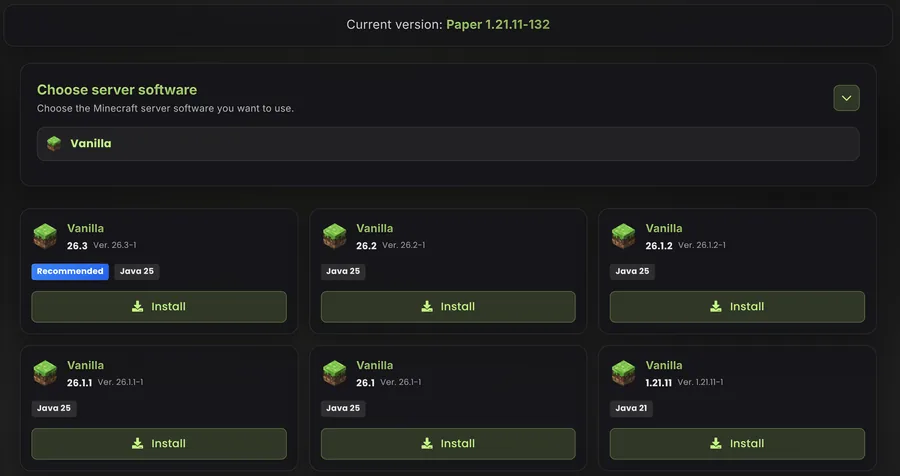
Every version shows the Java it needs, for example Java 21. The panel sets it for you. If you have no special requirements, go with the version marked Recommended.
Before moving to a new game version, read how to update a Minecraft server safely.
Will my world survive?
Moving to a newer version is safe. The server upgrades the world on the first start.
When switching from Vanilla to Paper the world stays, but Paper keeps the Nether and the End in separate folders, world_nether and world_the_end. It moves them on the first start by itself.
Frequently asked questions
My plugins stopped working after changing the version.
Check that every plugin has a release for the new Minecraft version and update it in the Plugins tab. Errors show up in the console when the server starts.
Players have a different version than the server. Can they join?
Not by default. On Paper and Purpur you can install ViaVersion, which lets players join from newer versions, and ViaBackwards for older ones.
Does changing the software delete my plugins or mods?
It does not delete the files. But plugins only run on Paper, Purpur and Spigot, and mods only on Fabric, Forge and NeoForge.