 Pepe
How to top up your account balance
All payments in the panel come from your account balance. You top up the balance first, then buy or renew a server with it.
How to top up
- Click your Balance in the top menu of the panel.
- Choose a payment method: Stripe (credit or debit card) or PayPal.
- Enter the amount in Top-up amount or click one of the preset amounts.
- Click Top up balance and complete the payment in the payment window.
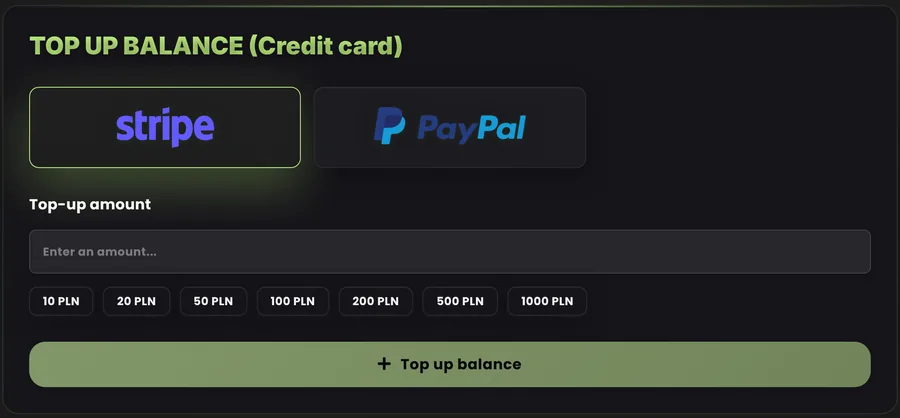
After you pay, the funds appear under Available balance, usually right away.
Prices are in Polish zloty (PLN), and your balance is shown in vPLN, where 1 vPLN is worth 1 PLN. You can pay from an account in any currency: your card issuer or PayPal converts the amount automatically.
What you can use the balance for
- buying a new server,
- renewing a server, including automatic renewal,
- upgrading your plan to a bigger one.
Frequently asked questions
I paid, but my balance did not change.
Refresh the page after a minute. If the funds are still missing after 15 minutes, message us on Discord with the date and amount of the payment.
Are there top-up bonuses?
Yes. During promotions we add extra funds to your top-up. Current promotions are shown in the panel.