 Pepe
How to let Bedrock players join a Java server with GeyserMC
Minecraft Java and Bedrock are two different games. GeyserMC translates between them, so players on phones, Windows 10/11 and consoles can play together with Java players on one server.
What you need
- Paper or Purpur as the server software,
- the Geyser-Spigot and Floodgate plugins,
- a free port for Bedrock connections.
Installation
- In the Plugins tab install Geyser (the Spigot/Paper version) and Floodgate. You can also download them from geysermc.org.
- Restart the server. Geyser creates the file
plugins/Geyser-Spigot/config.yml.
Setting the port
Bedrock clients use a different protocol than Java, so Geyser needs its own port.
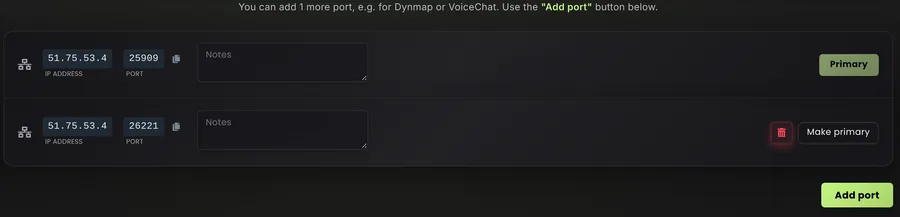
- In the Network tab click Add port (more about ports). Write down the number of the new port.
- Stop the server and open
plugins/Geyser-Spigot/config.yml. - In the
bedrocksection setport:to the new port number. - Save the file and start the server.
How to join from Bedrock
In Minecraft Bedrock go to Play > Servers > Add Server. Type the server IP (without the port) and put the Geyser port in the separate port field.
Thanks to Floodgate, Bedrock players do not need a Java account. Their names get a dot in front, for example .Player.
Frequently asked questions
A Bedrock player cannot connect.
Check that Geyser's config.yml has the port you added in the Network tab, and that the player typed that port, not the Java port. Always restart the server after changing the config.
Does crossplay work with mods?
No. Geyser works with plugins on Paper, but not with Forge or Fabric mods.
Bedrock players have no skins or some blocks look wrong.
Some Java features have no Bedrock equivalent. That is normal with GeyserMC and rarely gets in the way of playing.
How do I give OP to a Bedrock player?
Use the name with the dot, for example op .Player. Details in the guide on how to give OP.