 Pepe
How to renew your Minecraft server
Your server runs until its expiry date. You renew it from your account balance in the server's Settings tab.
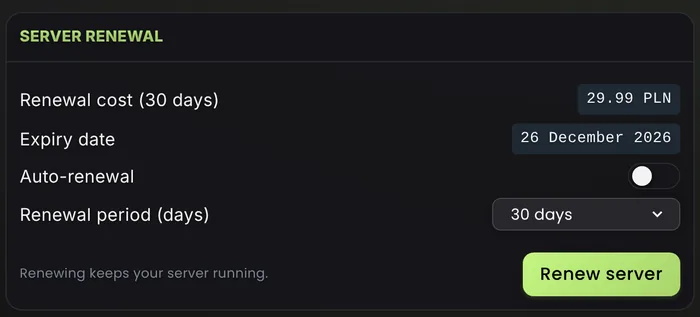
How to renew
- Top up your balance if you do not have enough funds.
- Open your server and go to the Settings tab.
- In the Server renewal box choose the Renewal period (days).
- Click Renew server and confirm.
The new days are added to the current expiry date, so you lose nothing by renewing early.
Auto-renewal
Turn on the Auto-renewal switch. Before the server expires, the panel takes the payment from your balance for the chosen number of days. Just make sure there are enough funds in your account.
What happens when a server expires
The server is suspended, and after some time it is deleted together with its files. Renew it as soon as you can. If you do not plan to keep playing, download your world before it expires.
Frequently asked questions
I want a bigger server instead of renewing.
See how to upgrade your plan. The days you have left move to the new plan.
Where can I see the expiry date?
In the Settings tab, in the Server renewal and Server plan boxes.