 Pepe
How to add mods to a Minecraft server
Unlike plugins, mods have to be installed both on the server and on every player's game. For individual mods you need the right server software. If you want a ready-made set, it is easier to install a modpack.
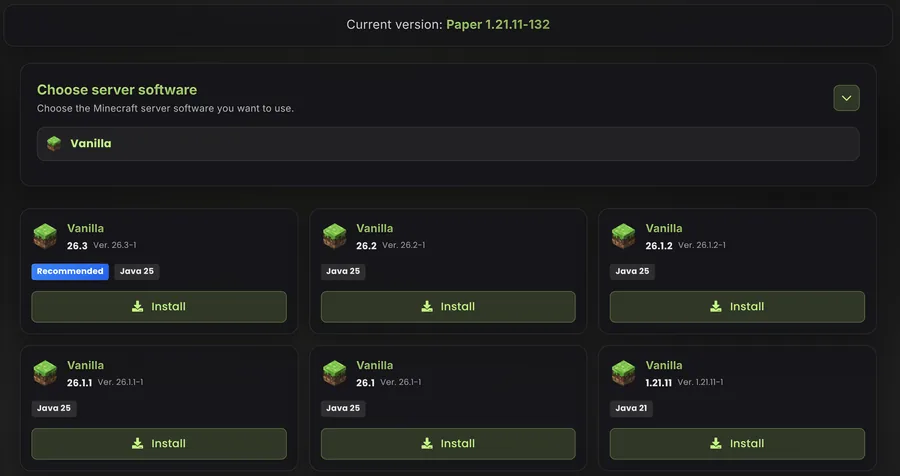
Step 1: choose the server software
Check on the mod's page whether it is made for Fabric, Forge or NeoForge, and for which Minecraft version. In the Server software tab install the same loader and the same version (how to change it).
Mods for different loaders do not work together. Every mod on the server has to use the same one.
Step 2: upload the mods
- Download the
.jarfiles, for example from Modrinth or CurseForge. - Stop the server.
- In the Files tab open the
modsfolder (if it is not there, make it with Create folder). - Click Upload and select the mod files.
- Start the server and watch the console.
On Fabric you almost always need Fabric API as well. Many mods also need extra libraries, which are listed under dependencies on the mod's page.
Example: a Fabric server with a few mods
You want to play Minecraft 1.21.1 with friends, with a few performance mods and some extra content:
- In the Server software tab choose Fabric and version 1.21.1.
- On Modrinth set the filters: version 1.21.1, loader Fabric, environment Server.
- Download Fabric API, Lithium and FerriteCore, then the gameplay mods.
- Upload everything to
modsand start the server. - Players install the same mods in their game, for example with Modrinth App or Prism Launcher, plus anything that is client only, such as Sodium.
Client-only mods
Some mods only work in the player's game: shaders, minimaps, graphics and interface mods. The server does not need them, and they often crash it on startup. Only upload mods that list server support.
How to give players the same mods
The simplest way is to turn your mods into a small modpack. In Modrinth App or Prism Launcher create a profile with exactly the mods from the server and export it to a file. Players import that file and get the same set. Without it, someone always ends up with a different version of one mod.
Common errors in the console
| Message | What it means | What to do |
|---|---|---|
requires any version of fabric-api, which is missing | Fabric API is missing | upload Fabric API to mods |
Missing or unsupported mandatory dependencies | the mod needs another mod or a different version | install the mod named below the message |
Attempted to load class net/minecraft/client/... for invalid dist DEDICATED_SERVER | a client-only mod on the server | remove that mod from mods |
Cannot load class ... in environment type SERVER | the same thing on Fabric | remove that mod from mods |
Mixin apply failed | two mods clash, or a mod is for another version | remove mods one by one until the server starts |
The mod's name is almost always in the message or a few lines below it.
Frequently asked questions
The server shuts down right after starting.
Scroll the console to the first error. It is usually a missing dependency, a client-only mod, or a mod for another loader or version. Remove the suspicious file from mods and try again.
A player gets "Mismatched mod channel list".
The player has a different set of mods than the server. They need exactly the same mods in the same versions.
How much RAM do mods need?
A handful of light mods fits in 4 GB. Big modpacks usually need 8 GB or more. See how much RAM a Minecraft server needs.
Can I run mods and plugins at the same time?
Not on the standard loaders. A Fabric, Forge or NeoForge server does not load plugins. Pick one or the other.